I recently came accross a bug in RingCentral where some participants would join the Video call without a display name. For the purpose of the video call it seemed to have no impact until trying to download the transcript. Without a display name for a single participant in the call, the transcript will fail to download. At the time of writing this, there aren’t any other solutions or workarounds for this bug. I will assume that in the near future that this issue will be patched, but in the interim, this guide will allow you to get a copy of the transcript.
The problem lies in that the functions to generate the transcript don’t know what to do if there isn’t a display name associated with a participant ID, so we’ll have to map them manually.
This guide is more on the advanced side, so this would be something your IT department could rely on to help you get ahold of an important transcript. It’s important to note that the call must remain ongoing while this process is completed. Here is the process
Start by joining the meeting from Chrome and open the developer console.

from the sources tab, right-click on the root of the file tree (labeled “top”) and Search in all files. The string you are searching for is ${participant.displayName} | ${time}
Once located, click on the search result to highlight the line in the developer console, and then add a breakpoint by click on the line number.
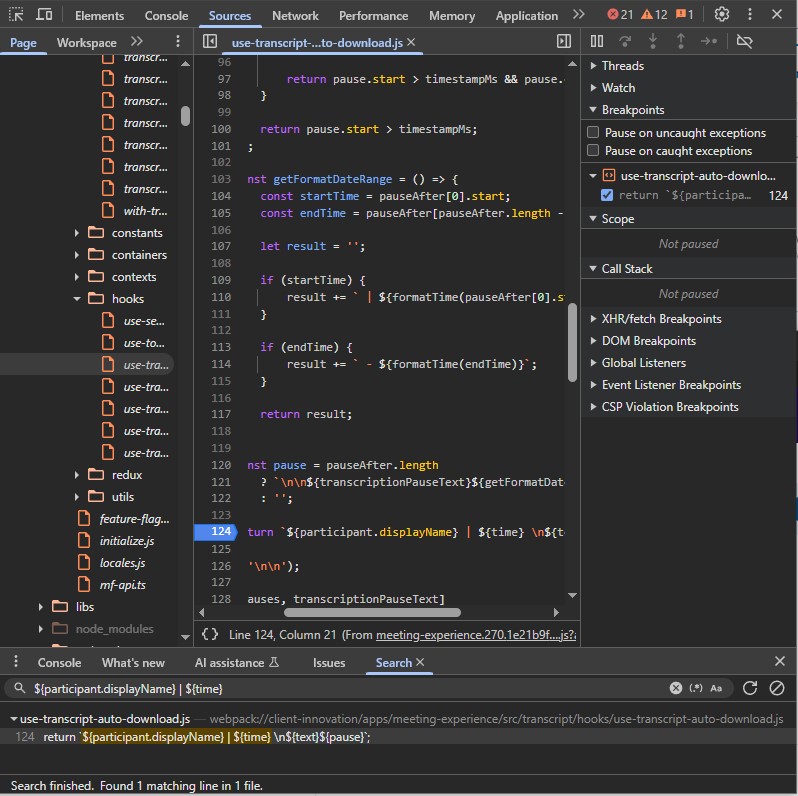
Next, click on the download transcript button from the meeting, and the execution will stop at the breakpoint.

In the local scope of the function, there’s an array that conveniently has all the entire transcript with the unmapped participant ID’s in it.
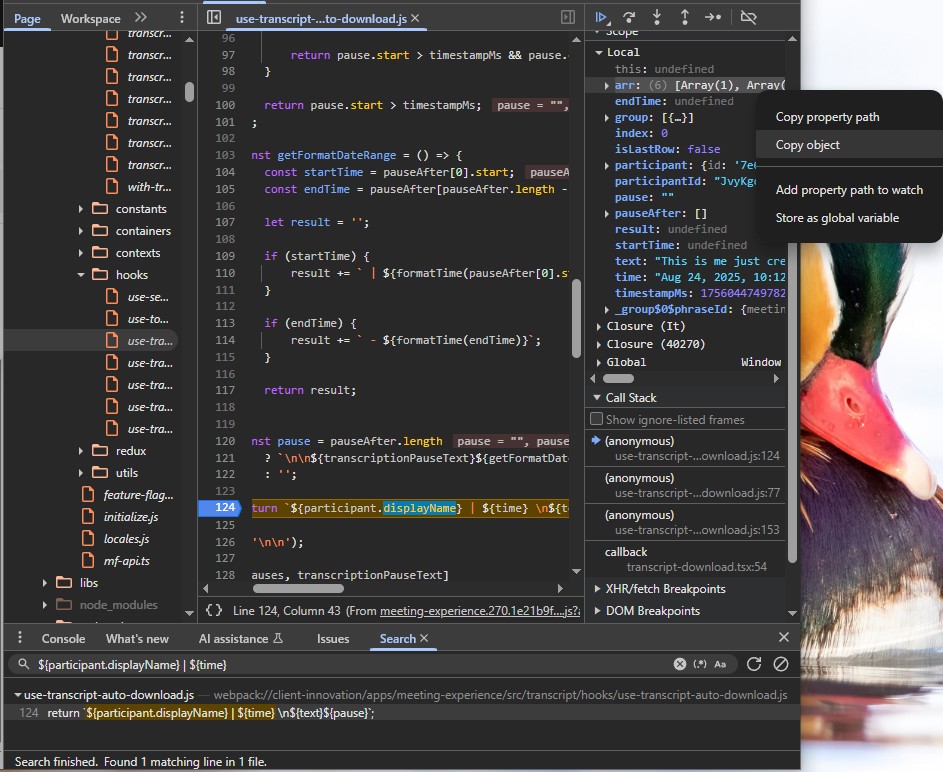
Copy that array and paste it into a text file to parse. It should look something like this:
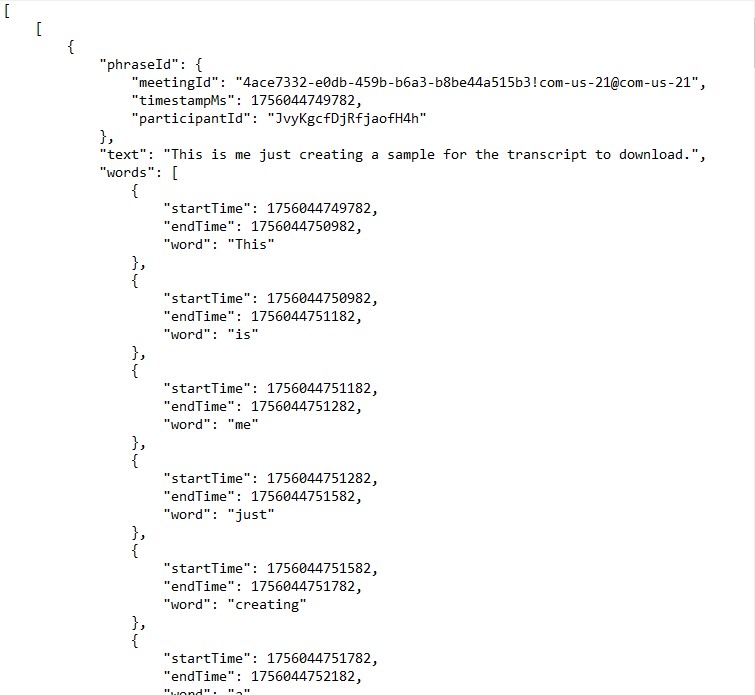
Now all you need to do is parse this array and map the participant ID’s to the participant’s name. I’ve wrote a python script to help you with this on my GitHub here: https://github.com/Cavan-M/RingCentral-Transcript-Fix. You just need to open the text file in the script and follow the prompt to map the ID’s to participant names.
Feel free to reach out if you need help getting this script running on your machine. It was written in python 3.12 and doesn’t require you to install any external libraries.
 Cavan McLellan